Medical Aesthetics Software Buying Guide (2026)
Use this 100-point medical aesthetics software scorecard to compare workflow fit, data handling, total cost, migration, and website integration in 2026.
Research method: official vendor documentation and US regulator guidance checked July 21, 2026. This guide does not claim hands-on testing and is not legal, compliance, or clinical advice.
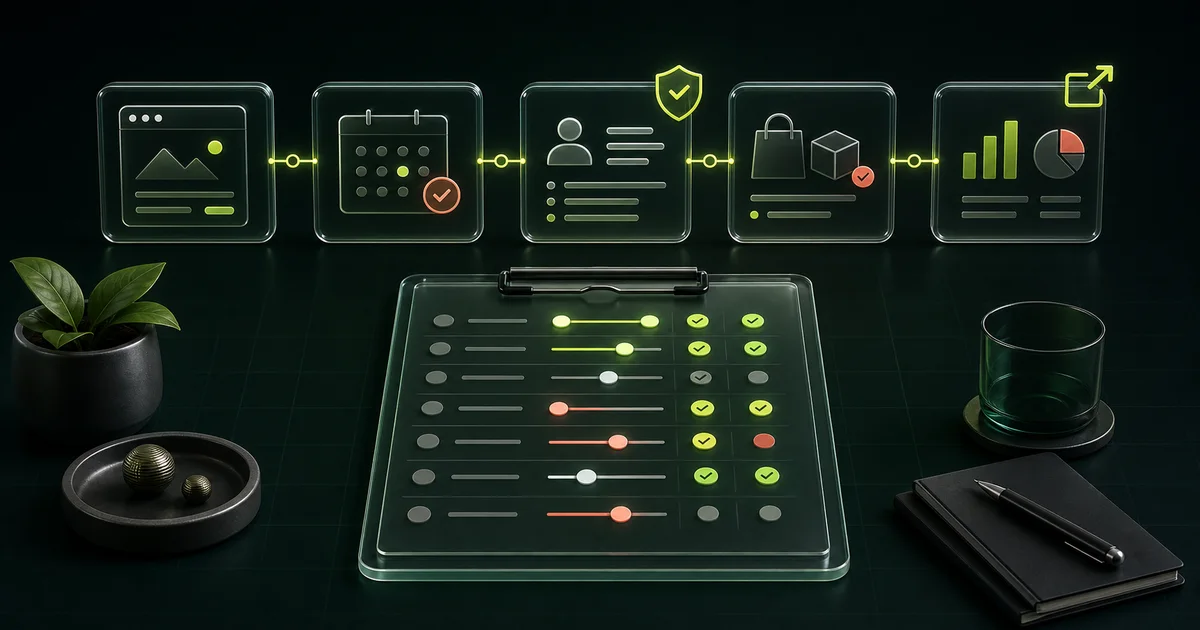
- Map the patient and staff workflow before building a vendor shortlist.
- Verify PHI access, agreements, permissions, audit records, backups, and exports in writing.
- Compare the full 12-month cost, including onboarding, add-ons, usage, migration, and staff time.
- Make every finalist demonstrate one real path from website click through follow-up and reporting.
How should a clinic choose medical aesthetics software?
Choose medical aesthetics software by testing how well it handles the clinic's normal day, not by counting features. The right system should reduce manual handoffs from scheduling through follow-up while keeping public marketing, clinical data, payments, and reporting in clearly owned systems.
The category is unusually broad. Aesthetic Record's current official plan page combines booking, charting, photo management, inventory, point of sale, and ecommerce. Zenoti's medspa plan page spans scheduling, payments, marketing, inventory, payroll, and analytics. Those are vendor descriptions, not independent performance findings, but they show why two products called "medical aesthetics software" may solve very different problems.
Start with the problem that costs staff time or breaks the patient path today. Then define which system should own each step. If the main gap is discovery, service education, or conversion, review the separate medical aesthetics software and website infrastructure layer before replacing the operational platform.
If the choice has narrowed to Fresha, Square, or a tailored build, use the three-way clinic workflow comparison to compare the current platform models, booking handoff, agreements, integrations, and full cost without changing the broad buying-guide scorecard.
Which workflow should you map before booking demos?
Map one complete path before speaking with vendors: a prospective patient finds a service, chooses the correct appointment, submits only the appropriate information, arrives on the provider's schedule, completes checkout, and receives approved follow-up. A demo should prove that path without hidden spreadsheets or duplicate entry.
Use real clinic roles and a sanitized example service. Include the public website because it often owns the context that makes booking understandable. The cloud software and website infrastructure guide explains that boundary, and the medical aesthetics booking software comparison applies a booking-specific scorecard to five current platforms. When authenticated patient access is part of the scope, use the med spa patient portal guide to test enrollment, records, messages, access recovery, and launch ownership.
If product receipt, lot or expiration handling, treatment use, count variances, or recall review drives the purchase, run the separate medical aesthetics inventory software test as part of the same demo.
| Workflow stage | Primary owner | What the finalist must show |
|---|---|---|
| Discovery and service choice | Public website | A service-specific page, clear consultation context, and a tracked next action. |
| Scheduling | Booking system | Correct service, provider, room, duration, deposit, and new-patient rules. |
| Intake and records | Clinical or practice system | Appropriate forms, permissions, review status, and a traceable record. |
| Treatment and checkout | Clinical, inventory, and payment systems | Documentation, product use, package or membership handling, and receipt. |
| Follow-up and reporting | Operations and analytics owners | Approved communication, task ownership, source attribution, and an owner-readable report. |
Which features are truly required for your clinic?
A feature is required only when a named role needs it to complete a current workflow or a documented launch plan. This rule keeps an impressive demo from turning optional automation into an expensive reason to buy. Ask each role to name the task, frequency, data involved, and acceptable fallback.
A solo injector may need booking, charting, photos, forms, payments, and a usable export before needing advanced CRM automation. A growing clinic may also need room and device scheduling, memberships, inventory, team permissions, marketing attribution, and multi-location reporting. The service mix matters more than the label on the plan.
Use the 48-point aesthetic clinic software requirements checklist to turn those needs into testable statements before the first demo.
- Front desk: booking rules, reminders, rescheduling, deposits, waitlists, and fast patient lookup.
- Providers: procedure-specific documentation, photos where appropriate, signatures, permissions, and review workflows.
- Owner or manager: payments, packages, memberships, inventory, staff controls, and reports that match operating decisions.
- Marketing owner: service-specific links, consent-aware communication, source tracking, and clear separation from clinical intake.
- IT or implementation owner: imports, exports, audit history, integration methods, backups, incident contacts, and offboarding terms.
How does the 100-point evaluation scorecard work?
Rate every finalist from 1 to 5 in seven areas, then convert each rating into its weighted points: rating divided by 5, multiplied by the area weight. A perfect fit earns 100. This is an original decision framework, not an industry benchmark, so change a weight only when the clinic documents why.
Score what the vendor can demonstrate and contract for today. A roadmap item gets zero until it is live. Any disqualifier should override the total, even when the platform earns high marks elsewhere.
- Disqualify a finalist that will access PHI but will not provide the required written agreement for the clinic workflow.
- Disqualify a finalist that refuses a practical export test before contract signature.
- Disqualify a finalist that cannot restrict access by role for the proposed use.
- Do not award points for a feature that exists only in a sales roadmap.
| Scorecard area | Weight | Evidence required |
|---|---|---|
| End-to-end workflow fit | 25 points | The finalist completes the mapped patient and staff path with acceptable handoffs. |
| Data, privacy, and security fit | 20 points | Written answers on access, agreements, permissions, audit records, backups, incidents, and exports. |
| Patient booking experience | 15 points | Mobile test for service choice, availability, deposits, confirmations, rescheduling, and accessibility. |
| Migration, integration, and exit | 15 points | Sample import, documented connections, test export, and written offboarding terms. |
| Staff usability and support | 10 points | Role-based demo, training plan, support hours, escalation path, and named implementation owner. |
| Reporting and attribution | 10 points | Owner can answer agreed operating questions without manual spreadsheet repair. |
| Full 12-month cost | 5 points | Base fee, onboarding, add-ons, usage, processing, migration, integration, and staff time. |
What should you verify about privacy, security, and data?
Treat privacy and security as a workflow review, not a badge on a vendor page. HHS says HIPAA applies to covered entities and business associates, and a health care provider is a covered entity only when it conducts specified electronic transactions. Confirm the clinic's status and obligations with qualified counsel instead of assuming every medspa has the same answer. See the HHS covered-entity guidance.
When a software vendor needs PHI access to host the system or troubleshoot it for a covered entity, HHS says the vendor is a business associate and a Business Associate Agreement is required before access. Merely selling software without PHI access does not create that relationship. Read the HHS software-vendor FAQ.
A contract is not the whole security program. HHS calls risk analysis foundational and says it should cover all electronic PHI the organization creates, receives, maintains, or transmits. The risk-analysis guidance also says the process is ongoing. For health apps and similar technology outside HIPAA coverage, the FTC's Health Breach Notification Rule guidance may still apply.
- List every data type collected at each step, including public forms, chat, booking, photos, notes, payments, and reports.
- Ask who can access each data type, how access is approved, and which actions appear in an audit record.
- Request written backup, restoration, incident-notification, retention, deletion, and subcontractor details.
- Keep marketing forms separate from clinical intake unless the full workflow has been intentionally scoped.
- Confirm the clinic's own responsibilities. A vendor claim does not transfer the practice's legal or security duties.
How should you compare medical aesthetics software pricing?
Compare the first 12 months in writing, not the advertised monthly number. Current vendor pages illustrate why: Aesthetic Record lists its Essentials plan at $15 per user per month plus a $399 startup and onboarding charge, with stated message and storage allowances. Check its live pricing page because those terms can change.
Other vendors use different units. Boulevard publishes per-location plans and separately priced add-ons on its official pricing page. Zenoti asks buyers to get a quote, says communication usage may be billed separately, and reserves some AI features for an add-on package on its official plan page. These examples are not recommendations. They show why one quoted subscription cannot be compared with another until the scope is normalized.
Build a 12-month total: base subscription, onboarding, migration, add-ons, communication usage, payment costs, hardware, integration work, staff training, temporary double-running, and the internal hours needed to maintain the system. Keep payment processing in its own line because it changes with volume and transaction mix.
| Cost line | Question for the written quote | Common comparison mistake |
|---|---|---|
| Base plan | Is pricing per user, calendar, provider, location, or account? | Comparing different billing units as if they were equal. |
| Onboarding and migration | Which records, photos, balances, and appointments are included? | Assuming "migration" covers every historical item. |
| Add-ons and usage | Which forms, messages, storage, AI, integrations, or reports cost extra? | Pricing the demo configuration at the base tier. |
| Payments and hardware | What rates, devices, replacement terms, and payout conditions apply? | Treating variable processing costs as free software features. |
| Website and custom work | Who owns public pages, booking connections, and changes after launch? | Expecting operations software to include a managed growth layer. |
What should every vendor show in a live demo?
Give every finalist the same script and ask the salesperson to complete it in the product. A prepared feature tour is useful for orientation, but it does not prove that your service names, roles, booking rules, data boundaries, and reporting questions work together.
Use sanitized demo data and record the number of screens, manual handoffs, duplicate entries, and unresolved questions. Ask who performs each setup step during onboarding. If a specialist, integration, or higher plan is required, add it to the quote and scorecard.
- Start on a service page and book the correct appointment type on a phone-sized screen.
- Show a new-patient path, a returning-patient path, a reschedule, a cancellation, and a deposit exception.
- Complete the proposed intake and documentation flow using front-desk and provider roles.
- Record product use, complete checkout, and apply a package or membership only if the clinic sells one.
- Find the lead source, appointment outcome, and follow-up owner in a report the owner can understand.
- Remove a staff member's access, find the audit record, restore a test item, and export a usable sample.
How do you test migration, integrations, and exit terms?
Require a sample migration and export before committing when historical data matters. A vendor may support patient lists but treat photos, signed forms, chart attachments, memberships, package balances, appointment history, custom fields, and audit records differently. Put each included data type and exception in the implementation scope.
For integrations, replace the word "integrates" with a test. Ask whether the connection uses a direct link, embed, file import, automation service, documented API, or vendor-built connector. Confirm which team supports it, what data moves in each direction, how failures are reported, and whether extra contracts or fees apply.
Then test the exit. Request a representative export, open it outside the platform, and match it to the clinic's record-retention and continuity needs. The contract should state export format, timing, fees, read-only access, deletion schedule, assistance, and what happens to integrations after termination.
Where should the website stop and clinic software start?
The public website should own discovery, service education, trust, search visibility, and the context around the next action. Clinic software should own the approved operational or clinical workflow after that handoff. Booking sits between them, so both teams need a documented connection and shared test.
Google's AI search guidance says the same SEO practices remain relevant for its generative search features. Buying an all-in-one platform does not remove the need for crawlable service pages, accurate facts, useful internal links, and a clear mobile path. Use the medical spa website design checklist to audit that public layer.
A vendor-hosted booking page may be enough for a simple service menu. A clinic with consult-first treatments, several provider types, or different qualification paths may need service-specific routing before the scheduler. Document which system owns page copy, consent language, booking labels, tracking, and updates so neither vendor assumes the other is handling them.
Which software model fits your clinic stage?
Choose the smallest model that can handle the next 12 to 24 months without forcing unsafe shortcuts or immediate replacement. A broad suite may reduce integrations, but it can also add setup work and cost. A focused stack can fit a small team better, but someone must own the connections.
Do not use clinic size as the only signal. Prescription workflows, photos, inventory traceability, multiple rooms or devices, memberships, medical-director review, insurance transactions, and multi-location permissions can change the requirement even in a small practice.
| Clinic situation | Model to evaluate first | Main risk to test |
|---|---|---|
| Solo or very small team with simple services | Focused booking and record workflow plus a separate public website | Too many systems or a plan that grows sharply with each user. |
| Growing single location with providers and memberships | Connected operations suite with role controls, inventory, and owner reporting | Feature depth that staff cannot configure or maintain. |
| Multiple locations or complex supervision | Central platform with location controls, shared reporting, and documented governance | Permissions, cross-location records, support, and migration complexity. |
| Distinct workflow no standard platform can demonstrate | Custom Portal scope connected to the website and required systems | Custom software ownership, maintenance, security scope, and integration cost. |
What should be decided before the contract is signed?
Create a one-page decision memo before signing. Name the problem, selected workflow, scorecard result, disqualifier review, implementation owner, accepted compromises, full first-year cost, and the evidence that will show whether the purchase worked. Attach the final quote and vendor answers. After selection, use the clinic software implementation launch board to assign owners, test a sanitized workflow, reconcile migration evidence, and record the go or no-go decision.
The success measure should describe observable use, not a promised business outcome the software cannot control. Examples include staff completing the mapped workflow without duplicate entry, online bookings reaching the right appointment type, daily tasks receiving an owner, required reports reconciling, and a sample export opening correctly.
- Who has authority to approve configuration, data access, and workflow changes?
- Which records and balances will migrate, and which will remain in a read-only system?
- What training and coverage will staff receive before the go-live date?
- Which website links, forms, analytics events, and patient messages must change?
- What is the rollback or downtime plan if a critical launch test fails?
- When will the clinic review adoption, data quality, support issues, and total cost?
What is the final buying test?
Buy only when the finalist completes the mapped workflow, clears every disqualifier, fits the 12-month budget, and leaves the clinic with a workable implementation and exit plan. A higher score cannot repair a failed data requirement or a patient path the vendor cannot demonstrate.
If no standard product passes, narrow the scope before buying more modules. The TheClinify Portal is discovery-priced because users, modules, integrations, patient-facing features, and data responsibilities change the build. A custom option still needs the same workflow map, scorecard, security review, ownership terms, and launch tests. After selection, use the clinic software implementation checklist to turn those requirements into owners, evidence gates, role rehearsals, and a go or no-go record.
The best decision is the one staff can explain in plain language: which problem the system solves, where the website hands off, who owns each step, what the first year costs, how the clinic will measure use, and how its data comes back out.
FAQ
What is medical aesthetics software used for?
Medical aesthetics software can support scheduling, intake, records, photos, payments, memberships, inventory, communication, and reporting. The exact scope varies by platform, so compare the workflows demonstrated in the current plan rather than relying on the category name.
Is medical aesthetics software automatically HIPAA compliant?
No label settles the clinic question. HIPAA coverage depends on the entity, data, transaction, access, and relationship. A covered clinic should confirm vendor responsibilities, required agreements, safeguards, and its own duties with qualified legal and security advisers.
How much does medical aesthetics software cost?
Pricing may be per user, provider, calendar, location, or custom quote. Compare a written 12-month total that includes onboarding, migration, add-ons, communication usage, payment costs, hardware, integrations, training, and staff time. Custom Portal work is priced after discovery.
Should a small clinic choose one platform or several tools?
Use the smallest model that completes the mapped workflow and meets the clinic data requirements. One suite may reduce handoffs, while a focused stack may be easier for a small team. Test ownership, integration, support, full cost, and exit terms either way.
Need software shaped around your clinic workflow?
Bring your workflow map and shortlist. We can scope a custom Portal or identify where your website and existing software should connect.
Request a Portal discovery call